

In today’s busy pace of life, accessing an online entertainment platform right on your smartphone has become an essential trend. With the PH333 Download App, players can connect smoothly anytime, anywhere without interruptions from browser limits or unstable network lines. This article provides a step-by-step installation guide alongside practical optimization tips to help you use the app safely.
Why Should You Download the PH333 App Instead of Playing on a Browser?
Using a dedicated application creates noticeable differences compared to opening a website through a traditional mobile browser. When performing an official Download App from PH333, the entire interface and graphic data are optimized specifically for touchscreens, significantly reducing latency and increasing response speeds.
Alongside speed, the app also helps users avoid blocked links or having to search repeatedly for new access addresses. Thanks to smart local caching, visual and audio resources load faster, saving considerable mobile data throughout your experience.
- Superior processing speed: Switching lobbies, placing bets, and loading games run smoothly, minimizing lag even during peak hours.
- Instant notifications: The system sends quick alerts on promotional programs, special events, or new version updates directly to your lock screen.
- Convenient login: Supports secure login session saving and integrates biometric authentication across many current phone models.
- Stable experience: Reduces sudden page-loading errors while on the move or switching between Wi-Fi and mobile data.

PH333 Download App Process on Android Devices
Users of Android phones such as Samsung, Xiaomi, Oppo, or Vivo can finish installation in just a few minutes by following the right sequence. Because the installation file is typically in APK format, your device’s security system requires permission confirmation before proceeding.
- Step 1: Open a browser on your phone and visit the exact official address of PH333 to ensure safety. On the main interface, locate the Android app download icon and tap it so the system starts downloading the APK file to your device.
- Step 2: Once the download finishes, open the notification or go to your phone’s file manager to launch the downloaded file. If a security warning appears on screen, go to your device Settings and enable the option allowing app installation from this source.
- Step 3: Return to the APK installation screen and tap confirm so the system sets up the app automatically. Once the PH333 icon appears on your home screen, open the app, log into your existing account, and check its basic features.

How to Download the PH333 App Smoothly on iPhone and iPad
Apple’s iOS operating system enforces strict security controls, so the app installation workflow includes an extra step to verify developer trust. Players should follow the guide below to avoid setup interruptions.
Download the App Profile from an Official Source
Use the Safari browser on your iPhone or iPad to visit the PH333 homepage for the best compatibility. Select the iOS download section and follow the on-screen prompts to download the app installation package.
Trust the Developer on Your iOS Device
After the download finishes, if opening the app triggers an untrusted developer notice, go to Settings on your iPhone. Select General, scroll down to VPN & Device Management, find the corresponding developer name, and tap Trust to activate the app.
Security and Performance Optimization Notes When Using the App
To keep your account safe and maintain smooth device performance, users should build structured app management habits. Proactively controlling download sources and updating periodically helps prevent risks from counterfeit files online.
- Download only from official sources: Never install app files from unfamiliar links, unverified forums, or unconfirmed shared messages.
- Update versions periodically: Check regularly for new updates to receive security patches, interface fixes, and operating speed improvements.
- Clear cache sensibly: Clear temporary data periodically if you notice the app taking up substantial storage space after extended use.
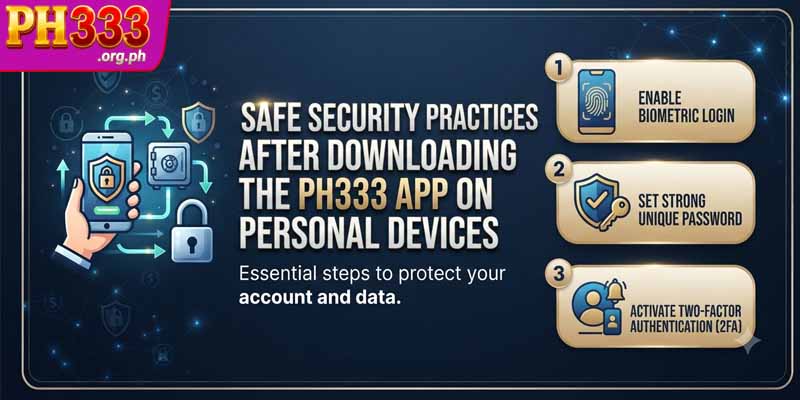
- Protect login credentials: Never share passwords or verification codes with others, and enable additional security layers whenever needed.
In summary, completing the PH333 Download App delivers a fast, stable access solution that optimizes the mobile experience for users on both Android and iOS platforms. When you understand every installation step and follow basic security principles, you can easily use the app anytime without technical obstacles.
